Download now
Free DVD Video Burner

What can this free video DVD burner do?


  • Create your own customized DVD-Video from all source video file;
  • Convert all regular SD and HD videos to DVD to watch on high-resolution screen;
  • Backup your movie collection onto discs for second copy;
  • 100% free and clean!


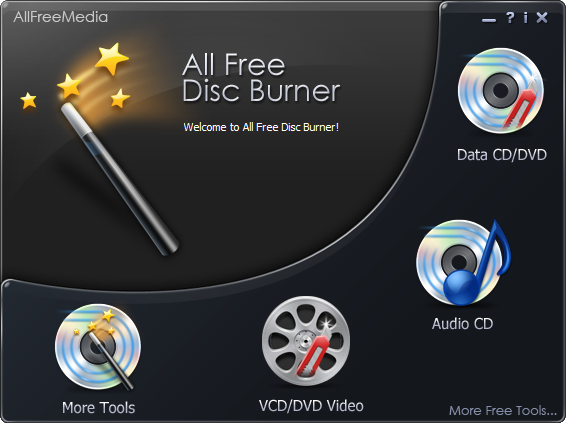
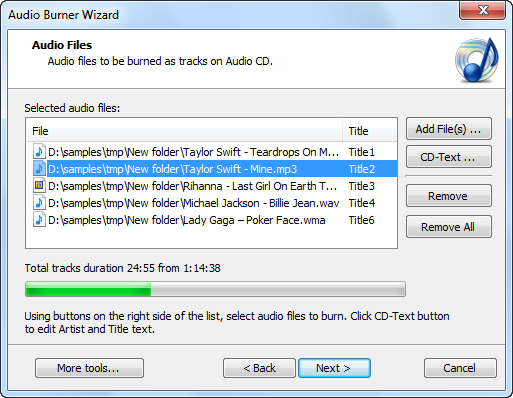
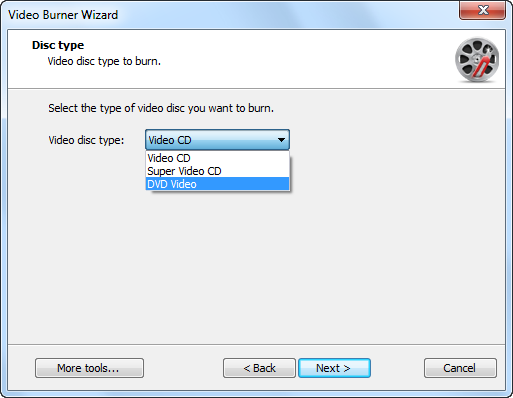
Free DVD-Video Burner is one-for-all disc burning software for any type of recordable disc, from classic CD to high density Blu-ray. It helps you burn & create standard audio CDs from existing audio files to play in the CD player, as well as burn data CD/DVD to backup important files' data. It also has the ability to convert all favorite videos to DVD and burn it onto DVD Disc, and then watch them on home DVD player, car DVD Player or any other portable DVD Player. There are also more tools provided for you! At the same time, the operation is strikingly easy and fast beyond your imagination!


Comprehensive disc burner/ripper to create, share and store all digital content on CDs or DVDs.

There is always the need to burn movies to DVDs to watch them on home DVD player, car DVD player or any other portable DVD player. But the problem is, many of programs with such functionality are quite difficult for average user. That's why our Free DVD-Video Burner is made - this tool is specially developed in such a way that any user, regardless of his experience and skills, can use all its features with ease. Thanks to the clear-cut and convenient interface and even a child can figure out how it works.


Free, Safe & Easy

Free DVD-Video Burner is a CD/DVD/ISO burning and ripping suite that can solve all your disc issues. It is completely free to use, virus-free and the wizard-style operation is straightforward for users of any levels.

CD, DVD & ISO Burner/Ripper

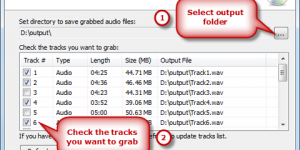
More than just Video DVD burner, audio CD burner, data CD burner, audio CD ripper, ISO maker, ISO ripper, ISO burner, CD/DVD eraser and device info display are also provided.

Optional Speed & Quality

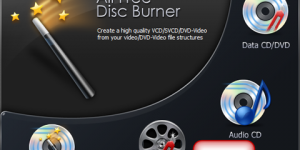
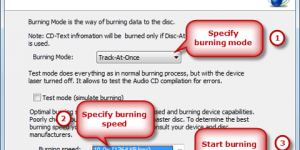
For disc burner, Free DVD-Video Burner provides optional burning mode and burning speed. Also you can choose the output quality for the audio CD ripping. It has high disc compatibility that you can have more choices on discs.

Download Free DVD-Video Burner today...

Totally FREE multifunctional DVD video burner tool that costs you nothing!

Free DVD-Video Burner is completely safe to install on your system and ease to use for all users.
Price: $29.90
Now only: $0


Expert reviews on MediaRightSoft products

Find out what leading industry experts are saying about Free DVD-Video Burner

BrotherSoft - Editor's Pick

BrotherSoft - Editor's Pick

A respectable burning program. Free DVD-Video Burner supports Blu-Ray discs or HD-DVDs. It also includes many advanced options for tweaking the burn process to perfection. Its interface is easy. It feels like a solid program that definitely deserves a chance at becoming a part of users' favored software collection

Softpedia - 5 Ratings

Softpedia - 5 Ratings

Free DVD-Video Burner displays the software's main features on the main screen buttons: burn audio CD, burn video & data discs, erase discs and deal with ISO images. Just choose one tool as needed

Core Download - Five Star Rating

Core Download - Five Star Rating

Free DVD-Video Burner is the software we consider a review of free burning software must include, so we are listing it as our first choice. The interface is clean and simple without a lot of extras to make things confusing. It supports all of the common features that a good burning application should have, and it works with all types of CDs and DVDs including dual layer discs. We can burn and create images with support for bootable discs, author rewriteable discs, and create audio CDs and video DVDs

Software Cocktail - Editor's Pick

Software Cocktail - Editor's Pick

A fully stocked and solidly designed video burning application such as Free DVD-Video Burner should be a must-have for any computer user. It boasts a polished, well-designed interface, an impressive feature set as well as adequate disc burning speeds. The video DVD burning feature is quite impressive. It may take several minutes to complete the process due to the file size and computer ability


Read what our customers say about Free DVD-Video Burner:


I choose this software not only for its excellent performance on video DVD burning and audio CD ripping, but also for the logically designed interface. It is so easy to operate that I can hardly tear myself away from it.

Phill Newman -

I'm very satisfied with this program. It helps me burn many downloaded YouTube videos and movies to DVD discs and some music files to audio CD. The quality is reliable and so far no bad burn. Now I can watch many HD movies on my TV.

Northan Lart -


Great help in processing my files. User friendly, performs a variety of functions. It is a nice factor. The only disc burner software I've found that could erase my rewritable disc for reuse. Hope you update it and add more features.

Silfrid Mclain -

You guys are great and I will be sure to tell everyone I know that there is at least one company that puts people first. I am really impressed by your program. The simple user interface, easy to understand wizard and many more, all of them help me create my CD/DVD in a breeze.

Janet Feldon -


Free DVD-Video Burner Tutorial:

Free DVD-Video Burner Help ManualFollow the tutorials below to get your DVD video burning and ripping finished effortlessly, download our easy to read help manual.

Need help?

SupportAny questions and suggestions about any one of our products, please visit our support site. You will also find access to product manuals and a frequently asked questions section.